Vehicle Enhancements SN
openmods.json (add-on-of, dependencies)
link
github.com/mroshaw/SubnauticaThunderKitModsAdds loads of great new features to the base game vehicles in Subnautica!
collections Gallery
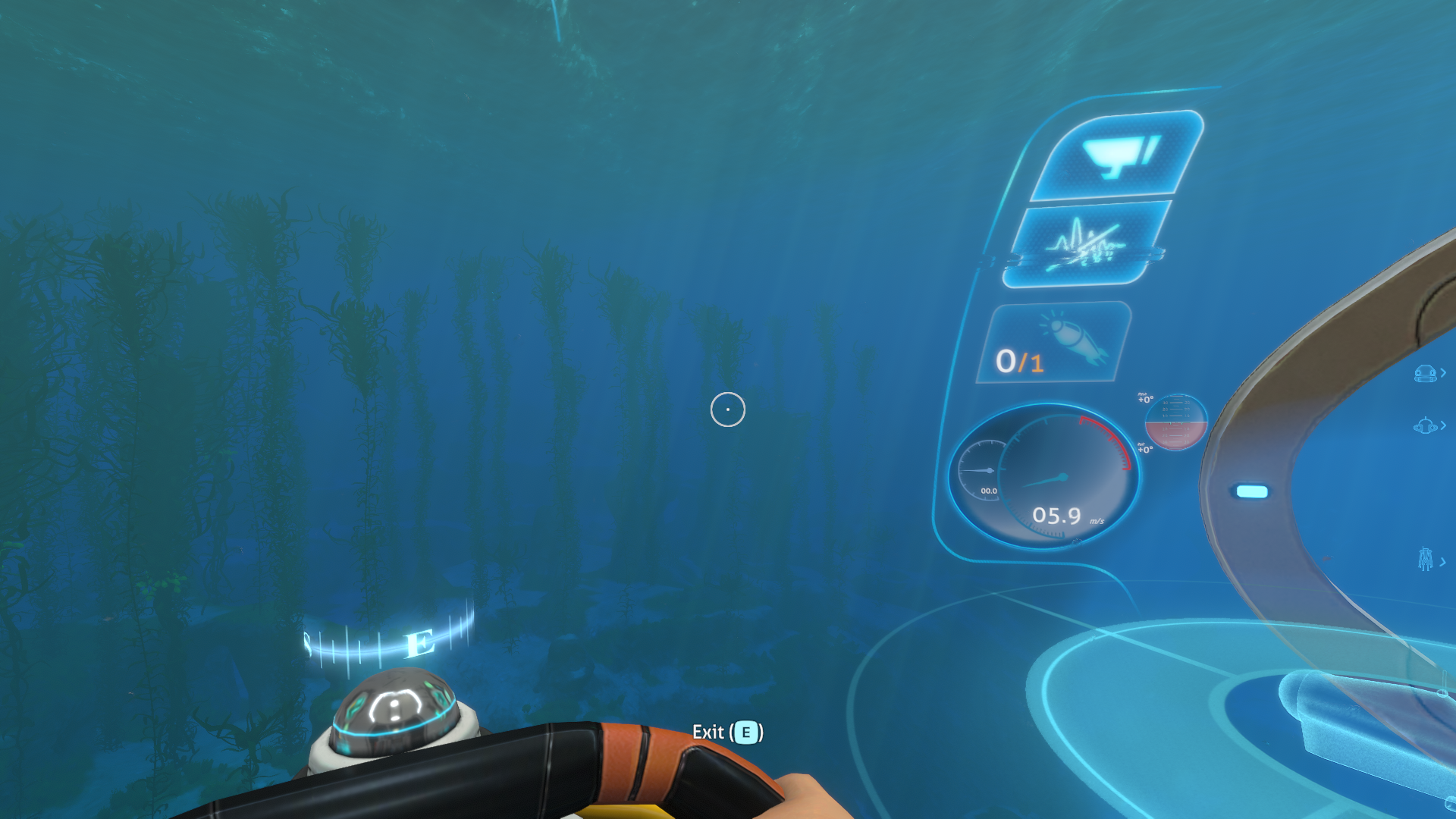
Enhanced Cyclops HUD.
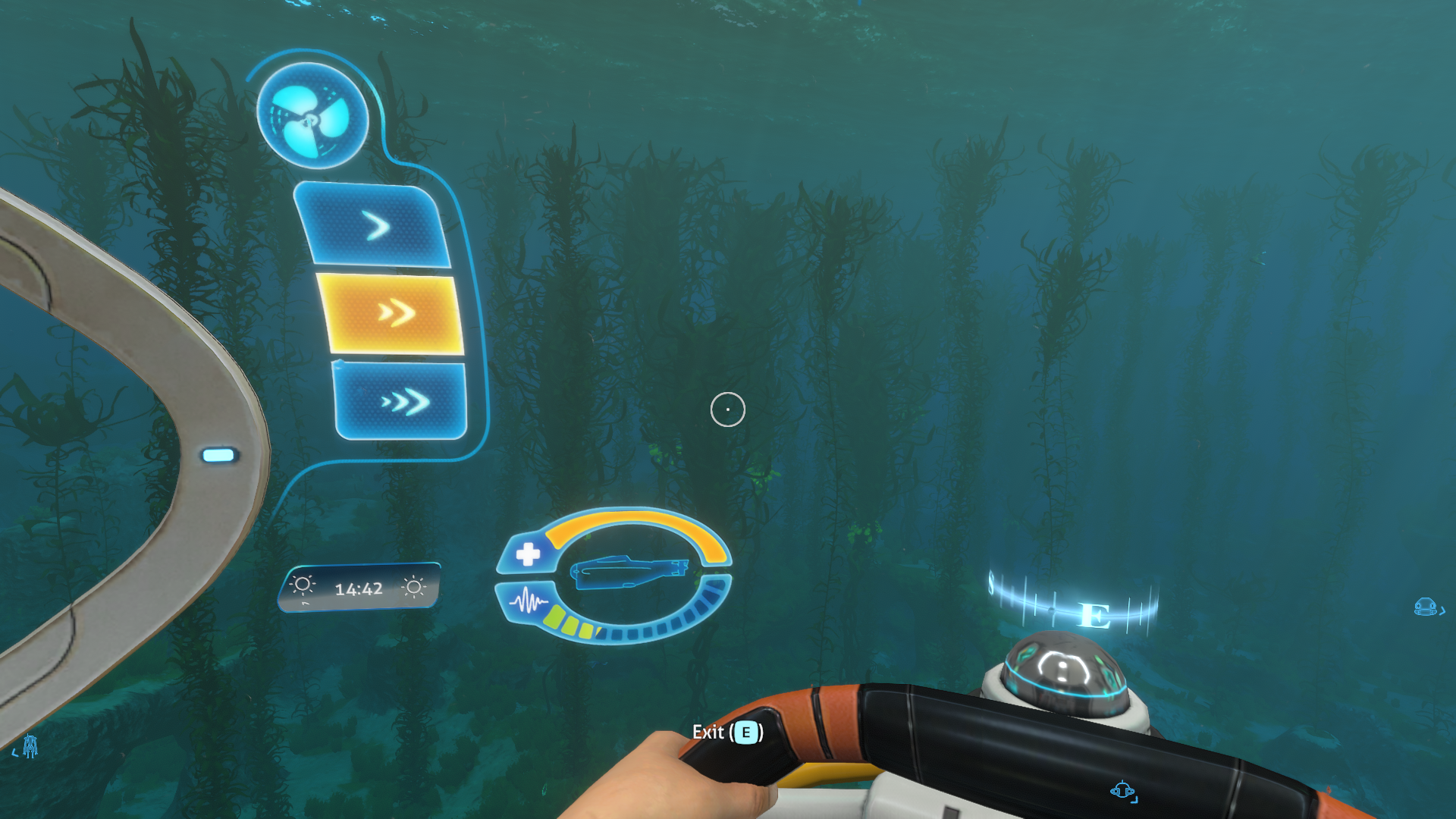
Enhanced Cyclops HUD.
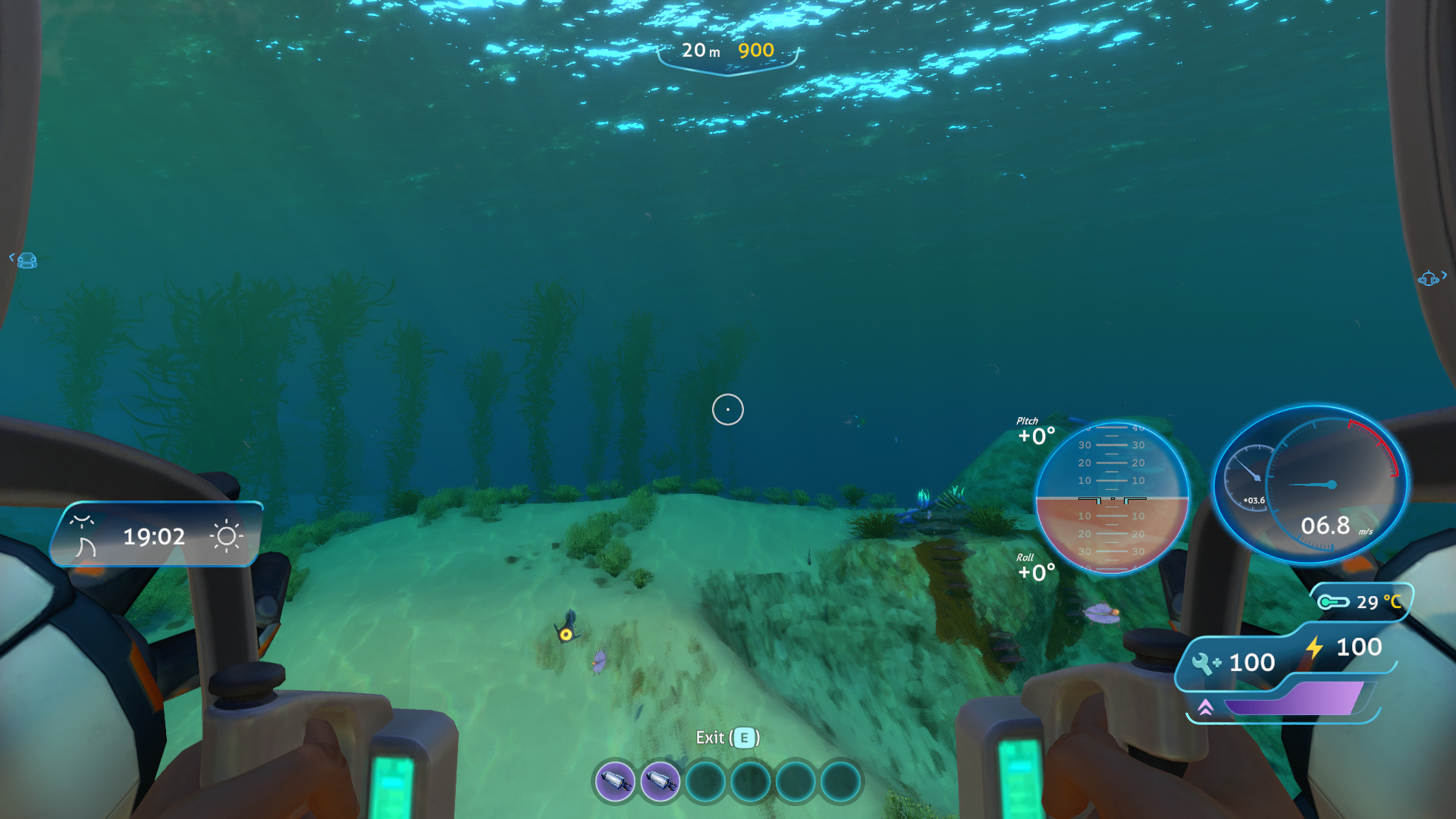
Enhanced Prawn Suit HUD.
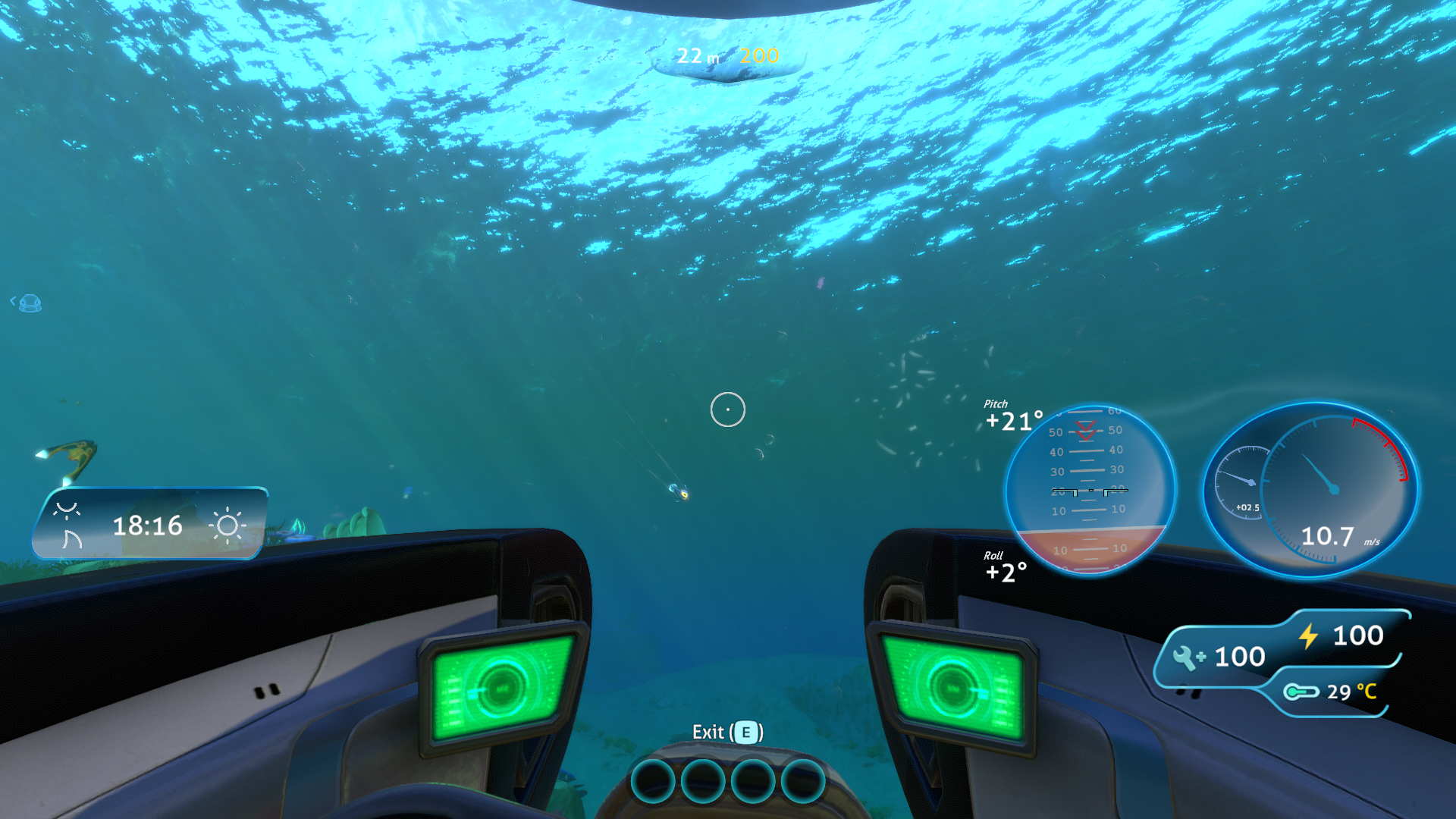
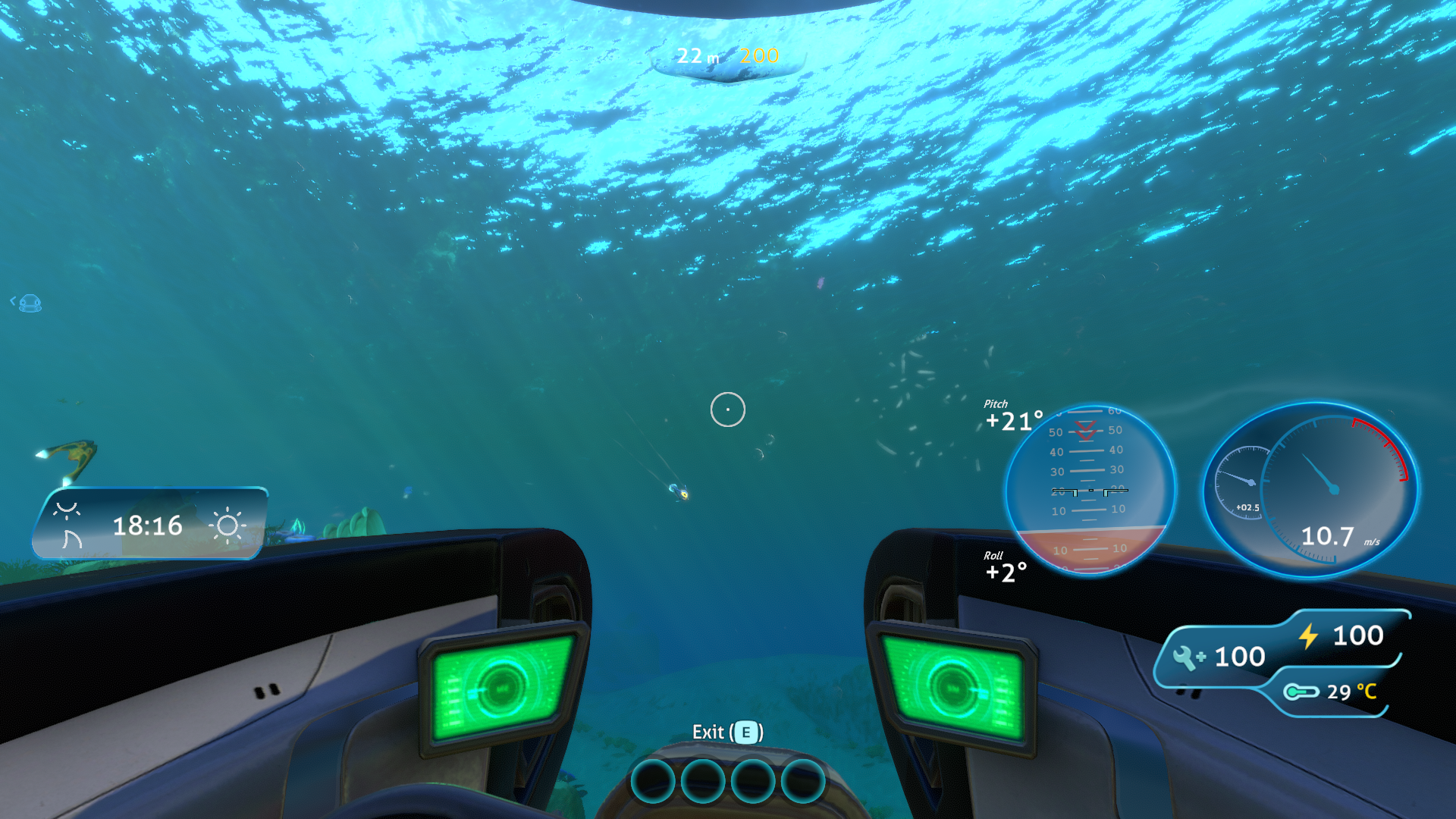
Enhanced Sea Moth HUD.
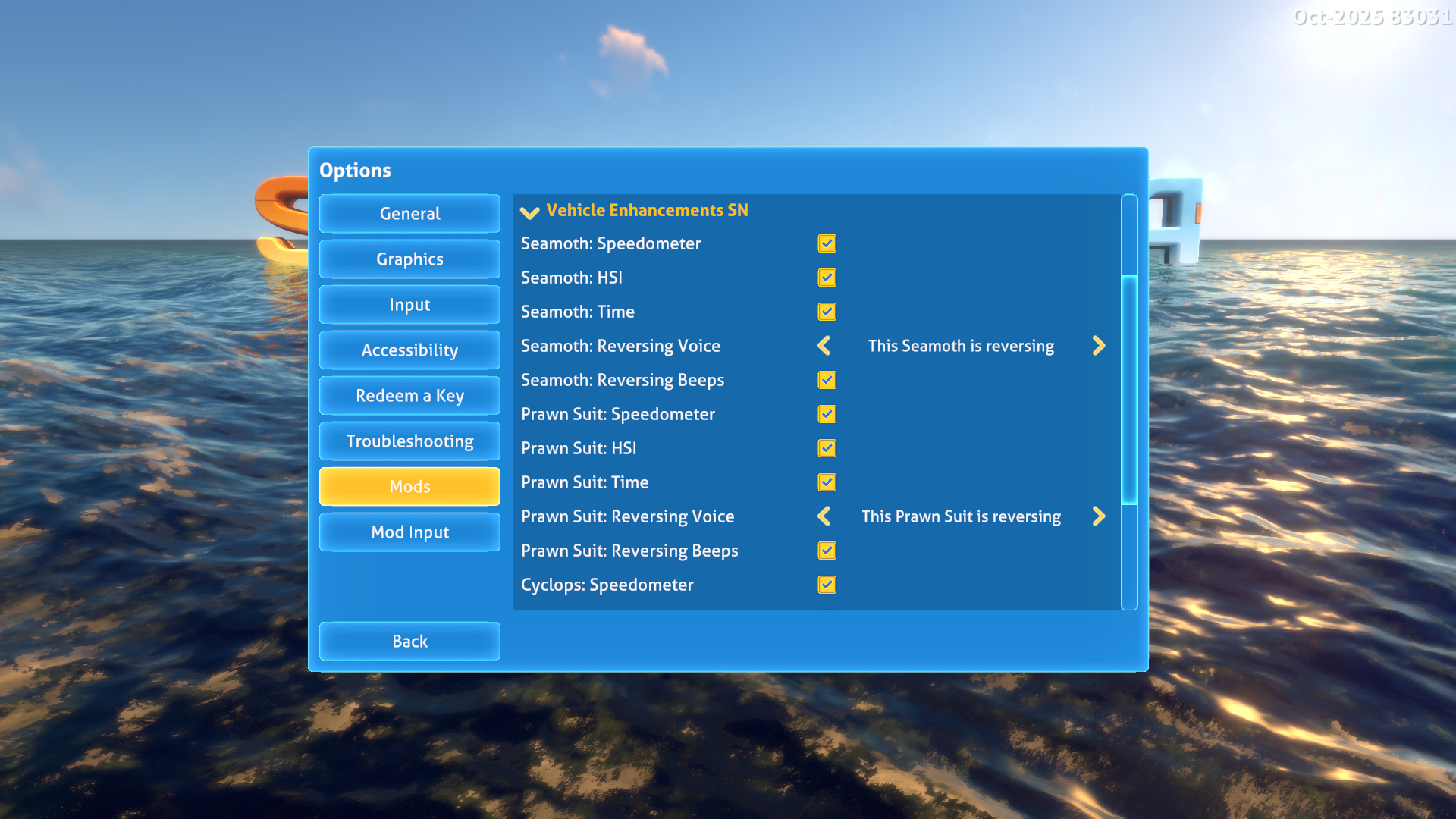
Mod options.
Vehicle Enhancements SN
This mod adds some super-cool enhancements to the standard vehicles in Subnautica: the Seamoth, the Prawn Suit and the Cyclops. The list of enhancements is growing and will continue to grow with your feedback and suggestions!
Features
Available in all vehicles
- A speedometer in the in-game HUD UI showing forward speed in meters per second.
- A Vertical Speed Indicator (VSI) showing the rate of ascent or descent in meters per second.
- A Horizontal Situation Indicator (HSI) showing the pitch and roll of the vehicle in degrees.
- A configurable reversing sound so that ocean inhabitants can get out of the way as you're backing up.
- A time-of-day indicator showing the passage of day into night, alongside a digital clock showing the current game time.
- A weather indicator showing the current weather conditions outside - useful if you're diving down into the depths and want to know what the weather's like on the surface!
- Options to tweak the position and UI scale of the new indicators, which works alongside the "UI Scaling" accessibility options in the game allowing you to fine tune the HUD for each vehicle.
Optional custom vehicle support
VehicleFramework 2.0.7 or later enables the same instruments and reversing audio for custom vehicles through VF's common vehicle contract. When integration initializes, only installed, registered vehicle types receive custom-vehicle option sections, available without spawning or unlocking them. Each type has independent instruments, layout and reversing audio settings, shared by all instances of that type. Each instrument has its own Location (Left, Center or Right), horizontal/vertical adjustment and UI scale in Mod Options. New profiles reproduce the previous custom-vehicle layout; component properties no longer determine instrument positions or scales. Enhancements appear only while actively controlling the vehicle, including VF remote control; walking inside a submarine is insufficient. Native VF HUD visibility and scaling still apply.
Nexus release 2.0.8 reports BepInEx plugin version 2.0.7.301. The minimum supported version is 2.0.7, checked through BepInEx plugin metadata, while the upstream version mismatch is being addressed.
This first iteration targets monitor play. Custom enhancements remain inactive in VR; VR support remains a separate future phase. VehicleFramework and ConfigurationManager are optional for this mod, and older or absent VF leaves vanilla enhancements available. Restart the game after installing or updating VF. Vehicle sections are discovered each time Nautilus rebuilds the options panel; registrations that finish while it is open appear on the next rebuild. Profiles remain saved when a vehicle mod is removed, ready for reinstalling it. Reversing volume and detailed logging remain global.
Gameplay acceptance, including Odyssey layout/audio tuning, profile persistence and switching, and a second independently implemented VF vehicle, remains pending. Generic support is implemented; broad tested compatibility is not yet claimed.
Want more features?
Let me know by creating a post and I'll do my best to add them!
User Guide
The mod works entirely based on the settings in mod options, there's no "in-game" controls or changes to worry about.
Options
Per vehicle options
Open Options > Mods and expand Vehicle Enhancements SN. Settings are grouped beneath standard Seamoth, Prawn Suit, Cyclops, and General subheadings. Installed VF vehicle sections appear before General when VF integration is enabled. Only the main mod heading collapses. Existing per-vehicle saved settings are retained.
Each control has a Location selector: Left, Center or Right. Horizontal and vertical sliders offset the control from the reference point in that location; positive values move right and up. UI Scale sets the control's size and inherits the game's HUD scaling. Cyclops locations select its left, center or right cockpit canvas. Defaults reproduce the existing layouts. Slider resets restore each vehicle/control's configured layout defaults.
Each custom vehicle section has an Apply layout to all custom button. It copies that vehicle's instrument locations, horizontal/vertical offsets and UI scales to all saved custom vehicle profiles, including profiles for vehicles currently uninstalled. Feature toggles, reversing audio settings and vanilla vehicle layouts stay unchanged. The copied settings are saved immediately; newly installed vehicle types still start with their normal defaults.
- Speedometer - toggle on to enable the speedometer and VSI enhancement. Tweak the horizontal, vertical positioning and UI scale using the sliders.
- HSI - toggle on to enable the Horizontal Situation Indicator, showing the pitch and roll of the vehicle. Tweak the horizontal, vertical positioning and UI scale using the sliders.
- Time and weather - toggle on to enable the time of day and weather indicators on the left side of the HUD. Tweak the horizontal, vertical positioning and UI scale using the sliders.
- Reversing voice - select a spoken voice audio clip to play when the vehicle is reversing. Select "None" to disable reversing voice audio.
- Reversing beeps - toggle on to enable a "beep beep beep" audio when the vehicle is reversing. Can be used in addition to the reversing voice option.
Global options
There are also some global settings that effect all vehicles:
- Reversing audio volume - use to increase or decrease the volume of the reversing audio.
- Detailed logging - only enable this if you have an issue and want to provide useful logging when reporting a bug.
Reversing sounds register once from a postfix on the native FMOD Studio Listener's OnEnable, after it registers with FMOD.
Installation and Dependencies
IMPORTANT! This mod uses BepInEx and Nautilus. You must install the latest versions of these to use this mod!
Source Code
All of my mods are open source, and you can find the full source code in my Subnautica Mods GitHub Repository.
Attribution
- Speedometer graphics by Olusola Olaoye as part of In Game UI.
- Thanks to Kallie for the amazing SnPdaVoice tool, used to generate the voice audio.
- Beep audio provided by backing up beep, by freesound_community.
- Dials and HLS overlays by Oyedoyin from their Silantro Helicopter Simulator Toolkit Unity asset.
FAQ
Join the conversation
Log in to join the conversation
Connect with GitHub to post comments and react.
No comments yet — be the first to share your thoughts.
Versions
View AllProject Metadata
4
28