Save My Eyes Ultimate Edition SN
openmods.json (add-on-of, dependencies)
link
github.com/mroshaw/SubnauticaThunderKitModsAdjust selected Subnautica lights, flare flicker, particles and filtration beams for photosensitivity and light sensitivity.
collections Gallery
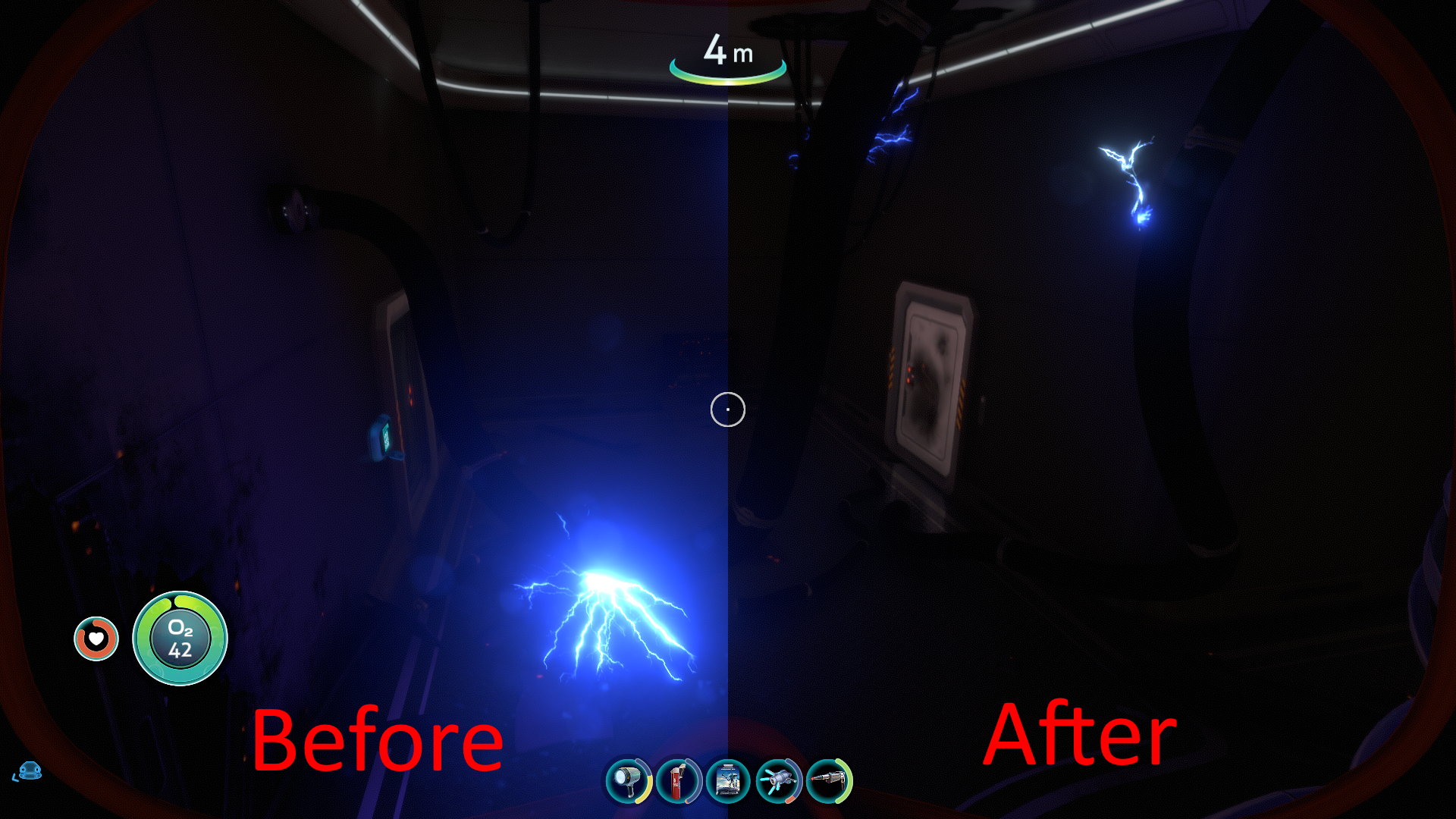
Aurora sparks before and after
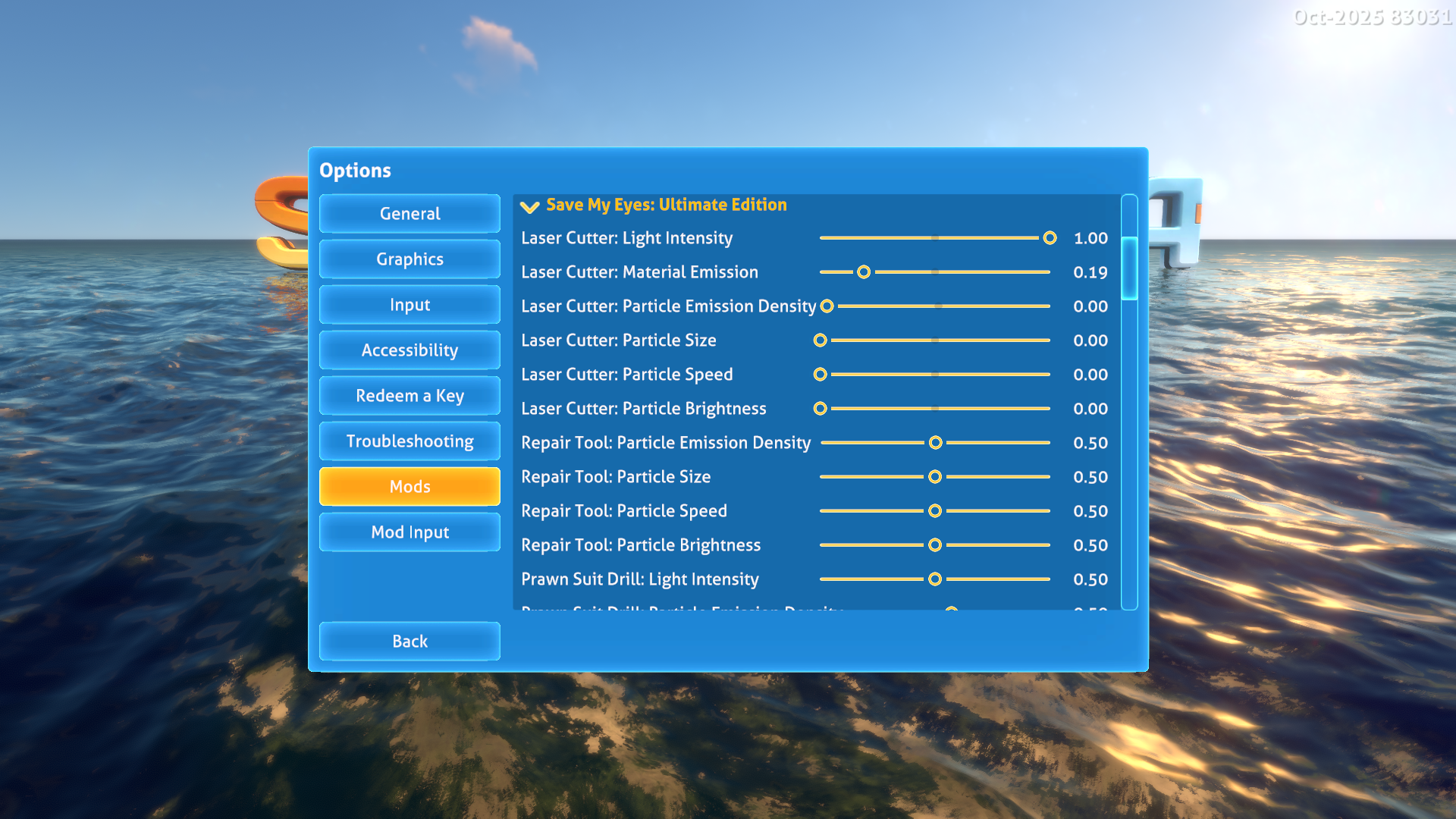
Mod options (page 1)
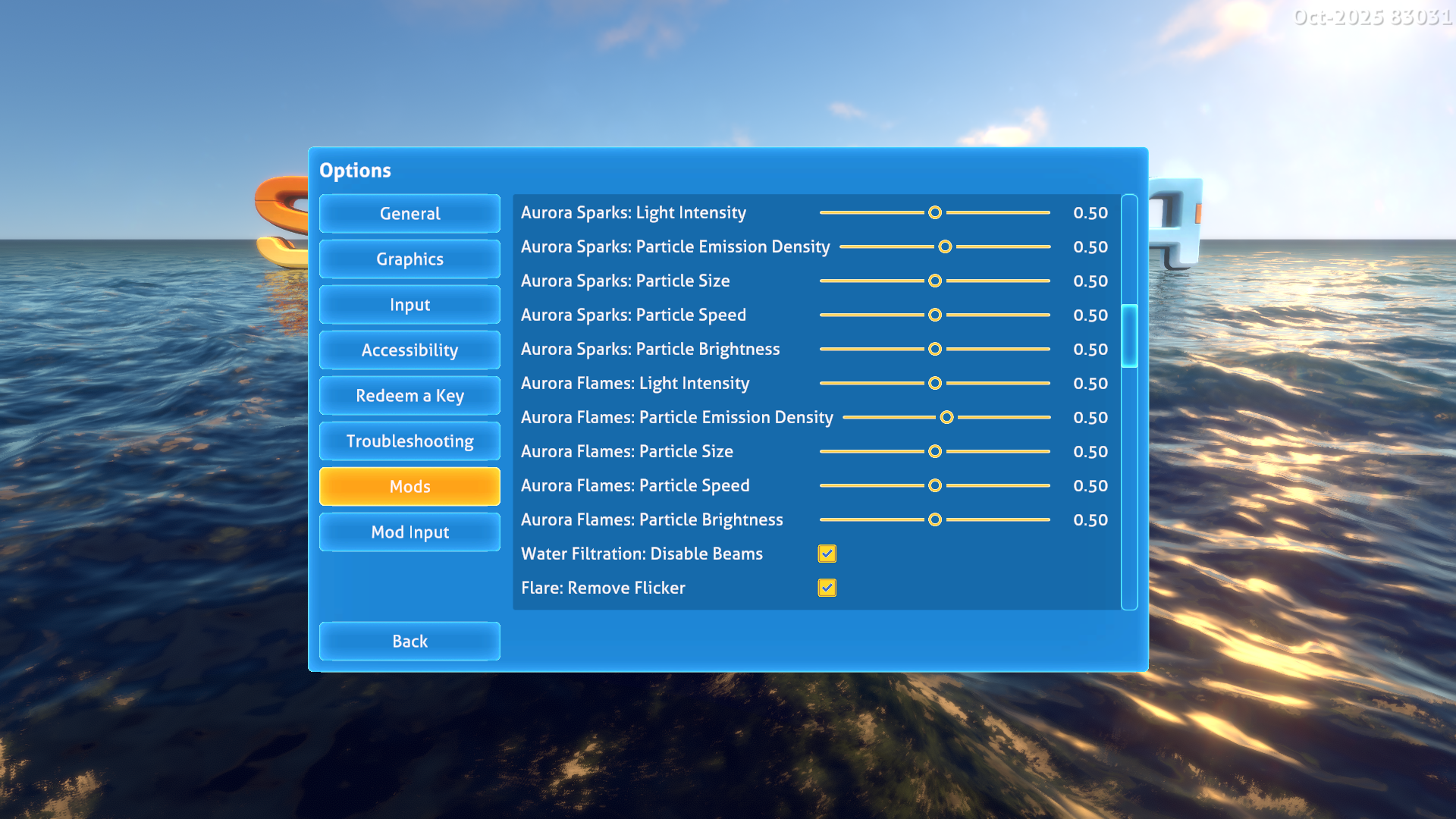
Mod options (page 2)
Save My Eyes: Ultimate Edition SN
This mod provides settings and toggles for players with photosensitivity. It's a combination and continuation of the excellent "Save My Eyes" series of mods produced by author kelsarhu.
It is with the explicit permission of kelsarhu that I've reproduced and enhanced functionality from their original mods to create this new, Ultimate Edition.
Features
The options reduce selected visual effects for players with photosensitivity or light sensitivity. Sliders range from 0 (suppression) to 1 (original emitter settings); they default to 0.5. They apply to these supported channels:
Flare light: an independent intensity slider and Remove Flicker toggle, enabled by default. Smooth mode follows the original reference mod's energy envelope: 0.2 to 2 during the first ten energy units, 2 through the middle, and 1 to 2 below 1000 energy. The intensity slider multiplies this envelope. Disable Remove Flicker and set intensity to 1 for original game light behavior. Flare range, particles, energy and lifetime remain game-controlled.
Laser Cutter: tool light, tool particles (including first equip), laser-cut door glow, cutting particles, completion particles, trails and lines.
Repair Tool: particles, including its late-time playback.
Prawn Suit drill: targeted lights and particles during drilling and surface contact.
Aurora: selected electrical sparks, extinguishable fires and interior damage effects, with separate spark and flame controls. This is not a control for every Aurora flash or explosion.
Water Filtration Machine: a Disable Beams toggle, enabled by default. Other fabrication lights, sparks and item scanning effects are separate.
Particle density scales continuous emission and burst counts. Constant burst counts round down; very small values may remove a burst entirely. Burst curves keep their original mode and scale. Zero disables emission and clears existing particles; one restores the captured emitter settings. Density also controls supported trail and line visibility.
Size and speed control initial emission values. Speed does not scale every force, noise or velocity module. Brightness scales particle color/opacity and particle lights, rather than arbitrary shader emission. Lowering these settings also reduces surviving particles immediately. Increasing size, speed or brightness clears surviving particles, because their original values cannot reliably be recovered; future particles use the original emitter values multiplied by the new setting. Changing a slider never restarts a stopped effect.
The default sliders reduce effects; they are not the reference Laser Cutter preset. To suppress the effects disabled by that reference, set Laser Cutter light and particle density to 0 (and material glow to 0 for complete glow suppression). Smooth flare mode reproduces the reference envelope before the intensity multiplier. Filtration beams are suppressed by default. The original reference's fixed trail dimensions and repeated exponential glow fade are replaced by adjustable controls.
Effects are selected deliberately for particular objects and actions. Unrelated environmental lighting, damage overlays and other game effects are outside this mod's scope.
Installation and Dependencies
IMPORTANT! This mod uses BepInEx and Nautilus. You must install the latest versions of these to use this mod. As the 2025 patch broke a lot of mods, you must use Nautilus version 1.0.0-pre.50 or later.
Source Code
All of my mods are open source, and you can find the full source code in my Subnautica Mods GitHub Repository.
Attribution
Huge thanks to kelsarhu/rose2787 for the original "Save My Eyes" mods and for so graciously giving me permission to update and republish their great mod functionality.
FAQ
Join the conversation
Log in to join the conversation
Connect with GitHub to post comments and react.
No comments yet — be the first to share your thoughts.
Versions
View AllProject Metadata
0
16