What might Paralives modding look like when it launches?
How to follow, prepare for, and join Paralives' modding scene while it's still being built.
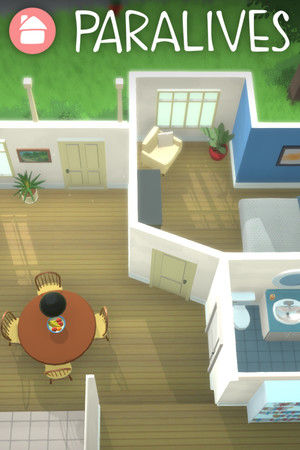
This guide is for anyone who wants to mod Paralives and is trying to figure out what's actually possible right now, vs. what's been announced but not shipped yet. Paralives is in Steam Early Access from an indie studio that has openly committed to first-class mod support, so the situation is unusual: the game's mod-friendliness is high, but the official toolchain is still landing in pieces. This is a snapshot of where things stand.
What Paralives modding is and isn't
Paralives is built on Unity. The studio has consistently said that mod support is a core design goal, not a community workaround. They've discussed in-house tools, an officially curated mod hub, and direct in-game integration. None of those statements should be read as "modding is fully usable today": they're roadmap commitments, and the project is openly an Early Access work in progress.
What you can do today depends entirely on which build you're playing (Steam public, Patreon backer, etc.) and what the latest devlog has shipped. The most reliable place to confirm current capability is the studio's own announcements, not third-party articles or older Reddit threads.
What you cannot do today, despite what some older write-ups suggest, is rely on a published, stable, documented mod API the way you can with BepInEx for Subnautica or tModLoader for Terraria. That comparison is the gap to close.
Step 0: set yourself up to follow the scene properly
Before you write a single line of mod code, position yourself so you'll hear about API changes the day they land:
- Join the official Discord via the link on paralives.com. The mod-curious conversations happen there in real time.
- Subscribe to the devlog. The studio publishes monthly progress posts that historically have called out modding-relevant changes in plain language.
- Follow @Paralives on Twitter for shorter, more frequent updates than the devlog cycle.
- Browse r/paralives for community-side context: what people are actually trying to do, what's frustrating them, where the gaps are.
This isn't filler. For a game still defining its mod ecosystem, the social layer is the documentation.
Step 1: install the game properly
Two basics that matter more in Early Access than in a finished game:
- Pick one channel and stick to it: Steam public, Steam Experimental branch, or Patreon backer build. Mixing builds confuses save compatibility. The Patreon backer builds ship features ahead of Steam by weeks or months and are the build to use if you want to be early on modding APIs as they arrive.
- Locate the game folder and remember the path. On Windows via Steam, the default is
C:\Program Files (x86)\Steam\steamapps\common\Paralives\. On macOS it's under~/Library/Application Support/Steam/steamapps/common/Paralives/. You won't need to touch it today, but you will when the official mod folder is announced.
Step 2: try existing user content if any is available
OpenMods is one place that surfaces Paralives mods as they're published to GitHub: browse the Paralives catalogue here. The catalogue today is small. If you're checking on launch day, treat anything you find as proof-of-concept, not production-quality. The mods that exist now are likely experiments built against pre-release APIs and may stop loading on the next patch.
Outside OpenMods, the studio has signalled plans for an official mod hub but hasn't launched one at time of writing. Don't install random .dll or .zip files from unverified sources for a game still defining its load model: you don't know what they actually do, and there's no community-vetted convention yet for what a "safe" Paralives mod looks like.
Step 3: if you're a modder, prepare your workspace
You can start a Paralives mod project today even without a final SDK. The Unity background means the skills carry over:
- Install Unity at the version Paralives Studio uses for the game. They've published this in past devlogs; check the most recent one for the current target.
- Get comfortable with C# scripting in Unity, even at a basic level. Whatever official mod API arrives is most likely to be C#-based given the engine.
- Read every studio post tagged "modding". Build a personal index of which features were promised, which shipped, and which are still planned. That context will save you weeks once the API lands.
- Watch other Unity-game modding communities for patterns to copy. BepInEx-based scenes (Subnautica, Valheim, Lethal Company) give you a template for what a stable Paralives modding stack might eventually look like.
Common gotchas
- "Why doesn't this mod work after the update?" Almost certainly an API or internal-structure change between Early Access patches. Until 1.0, expect to wait days to weeks for mods to be updated by their authors after each game patch.
- "Where do I put the mod files?" Whatever path a tutorial tells you, double-check it against the latest studio post. Pre-release paths change.
- "Is there a Nexus Mods presence?" Not meaningfully, yet. Most mod-curious activity is happening directly on Discord and GitHub rather than on traditional aggregators.
- "Can I distribute mods commercially?" Don't assume so. The studio has not yet published a formal modding policy. Wait for the official terms before charging for content.
- "Will my mod break at 1.0?" Probably. Plan for at least one major rewrite between Early Access and the full release.
What to do next
If you're a player, bookmark /games/paralives and check it occasionally as the catalogue grows. If you're a modder, the highest-value move today is to publish what you build to GitHub publicly: that's how new authors get found by OpenMods' sync pipeline, and it's how the studio sees who's serious about the scene before the official tools arrive.
For the broader context on what kind of editorial coverage we keep up to date here, see the OpenMods guides index.