How to install Call of Duty 4 mods and get onto CoD4x servers
Patch to 1.7, set up the Mods folder, launch with fs_game, and install the community client
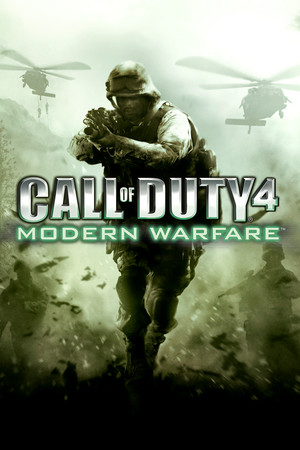
Modding Call of Duty 4: Modern Warfare is a folder-and-command-line affair from the 2007 era, and that is what makes it durable: nothing depends on a launcher or a service that can shut down. This guide gets a fresh install patched to the right version, installs a mod into the Mods folder, launches into it, and then covers the CoD4x client that most of today's servers run on.
It assumes the PC version, either from Steam or a retail disc.
Get the game to version 1.7
Every mod and every server assumes patch 1.7, the final official update.
- Steam: you already have it. The Steam build ships patched.
- Retail: install the game, then apply the 1.6 patch followed by the 1.7 patch. The order matters, and skipping 1.6 leaves the 1.7 installer refusing to run.
Confirm by launching multiplayer and looking at the version string in the bottom corner of the main menu.
Know your folders
Open the game directory. On Steam that is steamapps/common/Call of Duty 4/. The pieces you care about:
main/, the vanilla game data. Leave it alone.Mods/, one sub-folder per mod. Create it if it does not exist.usermaps/, one sub-folder per custom map.players/, your profiles andconfig_mp.cfg.
A mod folder contains a mod.ff fast file and usually one or more .iwd files. An .iwd is a plain zip archive with a different extension, which is handy when you want to look inside.
Install a mod manually
- Download the mod. Server-side mods and total conversions both come as an archive containing a folder or the files directly.
- Create
Mods/<modname>/using the name the author specifies. Names are case-sensitive on servers, so match exactly. - Copy
mod.ffand the.iwdfiles into that folder. - Launch multiplayer, open the Mods menu from the main menu, select the mod, and click Launch. The game restarts into the mod.
To play a custom map inside that mod, drop the map folder into usermaps/ first; maps are separate from mods and load alongside whichever mod is active.
Launch straight into a mod
The Mods menu is fine for testing, but for hosting or scripting a shortcut you will want the command line. Add this to the launch options (Steam) or a shortcut target (retail):
+set fs_game mods/<modname>
Add +map <mapname> to load a map immediately, or +exec server.cfg to start a listen server with a config file. This is the same mechanism dedicated servers use.
Join servers with CoD4x
Most public servers today run CoD4x, a community-maintained client and server that replaces the aging stock 1.7 netcode.
- Download the CoD4x client installer from the project's site.
- Run it and point it at your game folder. It installs alongside the retail files and creates its own launcher executable.
- Start the game through that launcher. The server browser now lists CoD4x servers, and mods those servers run will download automatically if you have downloads enabled in the game options.
Keep the stock executable around. A few older mods and LAN setups still expect it, and having both costs nothing.
Common gotchas
- Black screen on launch after installing a mod almost always means a bad
config_mp.cfg. Rename it and let the game generate a fresh one. - "Impure client" errors mean your
.iwdfiles do not match the server's. Delete the mod folder and let the server re-send it. - Mods with spaces in the folder name will not load. Use underscores.
- Downloads stuck at 0% usually mean the server has no fast download URL configured, not a problem on your end. Try another server.
- Custom maps with missing textures need the mod they were built for. Check the map's readme for a required mod.
- Antivirus false positives on CoD4x are common because it patches the game executable in memory. Whitelist the folder if you trust the download source.
Where to go next
Browse Call of Duty 4 mods on OpenMods for GitHub-hosted script mods you can drop into a server. If you want to build maps or write GSC yourself, the same folder layout applies, and the Black Ops III guide shows how far Treyarch later took the same pipeline.