Installing ARK: Survival Ascended mods from the in-game browser
Add mods to single-player and join modded servers without a file manager
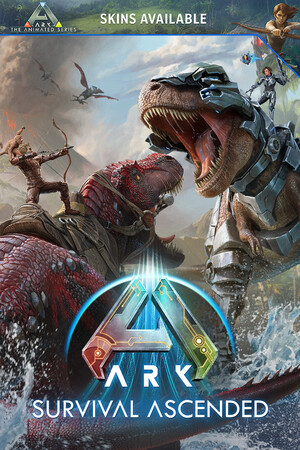
ARK: Survival Ascended is one of the easiest games to mod, because the mod browser is built into the game itself. There are no managers to download and no files to copy. This guide covers installing mods for single-player and joining a modded server, both through the official CurseForge integration.
Why there is nothing to install first
Studio Wildcard partnered with CurseForge to put mod management inside ARK: Survival Ascended. The game talks to CurseForge directly, so it downloads, installs, updates, and removes mods for you. That is a deliberate contrast with older games where you place files in a folder by hand and hope the versions line up.
Add mods to single-player
- From the main menu, open the mods section, which is the in-game CurseForge browser.
- Browse or search for a mod. Mod pages show description, version, and dependencies.
- Select it and install. The game downloads it and adds it to your active list.
- Start or load a single-player game. Installed mods are active automatically.
To remove a mod, uninstall it from the same list. The game cleans up its files for you.
Join a modded server
- Find a server in the server browser or by direct connect.
- Click to join. A window lists every mod the server requires.
- Confirm. The game installs any required mods you do not already have, and skips the ones you do.
- You connect once everything is in place, with no manual version matching.
This automatic sync is the single biggest convenience of the official system. Client and server always agree on what is loaded.
Manage a larger mod list
Once you run more than a handful of mods, a little discipline saves a lot of troubleshooting.
- Add mods one at a time and launch between each, so a crash or conflict points clearly at the last one you installed.
- On a single-player world, treat big content or overhaul mods as semi-permanent. Removing one mid-save can strip items or structures it added.
- On a server you control, the order mods load in decides who wins when two edit the same systems. Put foundational or framework mods first and overhaul mods after, then test on a copy before inflicting it on players.
- Keep a short note of which mods you run and why. When a patch lands and something breaks, that list is the fastest way to find the culprit.
A note for creators
If you want to build mods, download the ARK Dev Kit free from the Epic Games Store. It is a streamlined Unreal Engine 5 editor with an Upload to CurseForge widget. Recent versions add cloud cooking, so you build your creation and the toolchain packages and publishes it for the supported platforms without a local cook step.
Common gotchas
- A mod stopped working after an update. Let the in-game browser update it. Official mods track game patches, but you may need to trigger the refresh.
- Server join failed on mods. Let the required-mods install finish before connecting; a slow download can look like a failure.
- Overhaul mods conflict. Two large mods can edit the same systems. On your own server, set load order deliberately and test.
- Mods and save compatibility. Adding or removing big content mods mid-save can affect an existing world, so back up your save first.
- A mod is missing on console. Not every mod targets every platform. Check the mod page lists your console before expecting it to install.